Construction Technology & Innovation
/
Jan 23, 2026
9 Best Submittal Software for Construction Projects Reviewed
Compare the top submittal software solutions for construction teams. Our expert review covers features, pricing, and user ratings to help you choose the right platform.


Direct Answer
There is no single best construction submittal software for every team, so the right pick depends on the problem you are actually trying to solve. If that problem is submittal AI review, BuildSync is the strongest option: it extracts dimensions, ratings, materials, and certifications from product data submittals and checks each one against your plans and specs before a reviewer opens the file, and it does the same underlying analysis when generating submittal packages.
Other needs point elsewhere. Enterprise GCs who want one system covering every project phase, from bidding through closeout, are better served building on Procore.
Firms already standardized on Revit and BIM 360 will get more out of Autodesk Forma than from adding a separate platform.
Local contractors who only need to track submittal status without a training rollout can get a lightweight tracker like SubmittalLink running quickly on a flat monthly rate, subcontractors who want submittals bundled with daily reports and change orders should look at eSUB, and teams whose real bottleneck is closeout documentation should look at Submittal.com.
Pricing and setup vary just as widely across these tools, from a few dollars per user per month to custom enterprise quotes based on submittal volume and team size, so it is worth deciding which of these problems is costing you the most before comparing feature lists.
What’s New In This Update? August 2026
Refreshed pricing across all 9 tools.
Updated Capterra ratings and review counts for every tool where public ratings are available.
Replaced product screenshots throughout to match each tool's current interface.
Updated brand names and product names for any vendor that has rebranded or renamed a module since the last review.
You're on your third submittal rejection this month. Each one pushes your timeline out 2+ weeks. Your project engineers are drowning in 70-page cut sheets, trying to cross-reference every dimension and spec against project requirements. And you know - somewhere in that stack of construction submittals - there's another rejection waiting to happen.
The construction industry has a submittal problem. According to our construction submittal guide, construction submittals act as a formalized communication and approval process to ensure compliance with design specifications and building codes. Yet the average rejection rate hovers around 30%.
Each rejected submittal costs roughly $805 in direct costs, plus the indirect hit of 2-4 weeks added to your timeline. For a typical project processing 500 construction submittals, that's $120,000+ in rejection costs alone.
Before picking a tool, it helps to know what counts as a good submittal rejection rate for a team your size. That's the benchmark any software you evaluate should actually help improve.
Understanding the difference between status codes, No Exceptions Taken versus Approved as Noted ensures your team doesn't waste cycles on unnecessary rework.
Submittals software promises to fix this. But here's what most people don't realize: not all construction submittal software actually solves the problem. Some tools just move documents through a workflow faster - which means you're rejecting submittals faster, not fixing them. Others claim to check technical compliance but lack the depth to catch the issues that actually matter.
This review breaks down the 9 best construction submittal software solutions based on what they actually deliver. You'll see which tools manage workflow, which verify technical compliance, and which do both.
More importantly, you'll understand which solution fits your specific pain point - whether you're drowning in rejection notices, losing weeks to manual reviews, or both.
How We Evaluated Construction Submittal Software
Not all submittal software is created equal. Before diving into specific tools, you need to understand what actually matters when evaluating these solutions.
Deep Technical Analysis vs. Workflow Management
This is the critical distinction most comparisons miss. Workflow management tools route construction submittals through approval chains, track submittal status, and organize submittals in one platform. Technical analysis tools extract every dimension, rating, material spec, and certification from submittals - then verify each one against project specifications. Understanding how specifications are organized by numbered division and section helps teams evaluate whether a tool can actually navigate the spec structure their projects use.
Workflow tools help you process construction submittals faster. Technical analysis tools help you process submittals correctly. You need to know which problem you're solving.
Integration Capabilities
Understanding how construction submittals work within project management workflows is critical; if your construction submittal software doesn't integrate seamlessly with project management tools or requires project team members to completely change their workflow, adoption will fail. The best solutions work within your existing construction submittal process, not against it.
Customer Reviews & Case Studies
Look beyond marketing materials. Real customer reviews reveal how construction submittal software actually performs under pressure. Do general contractors report measurable rejection rate reduction? Are project managers saving time, or just switching tools? The best vendors offer pilots so you can verify results on your actual construction projects before committing.
Implementation Friction
Setup time matters. If it takes three months to implement and requires dedicated IT resources, smaller teams won't adopt it. The best solutions are live within hours or days - not quarters.
Accuracy & Verification Methods
How does the software verify compliance findings? The best construction submittal software shows you exactly where each technical characteristic was found, linking back to the source documents in both the submittal and the specifications. This "trust but verify" approach works whether the tool uses AI, manual review templates, or automated comparisons.
The tools that address these questions head-on tend to be the ones that actually work.
The 9 Best Construction Submittal Software Solutions
1. BuildSync - Deep Technical Analysis & Rejection Rate Reduction
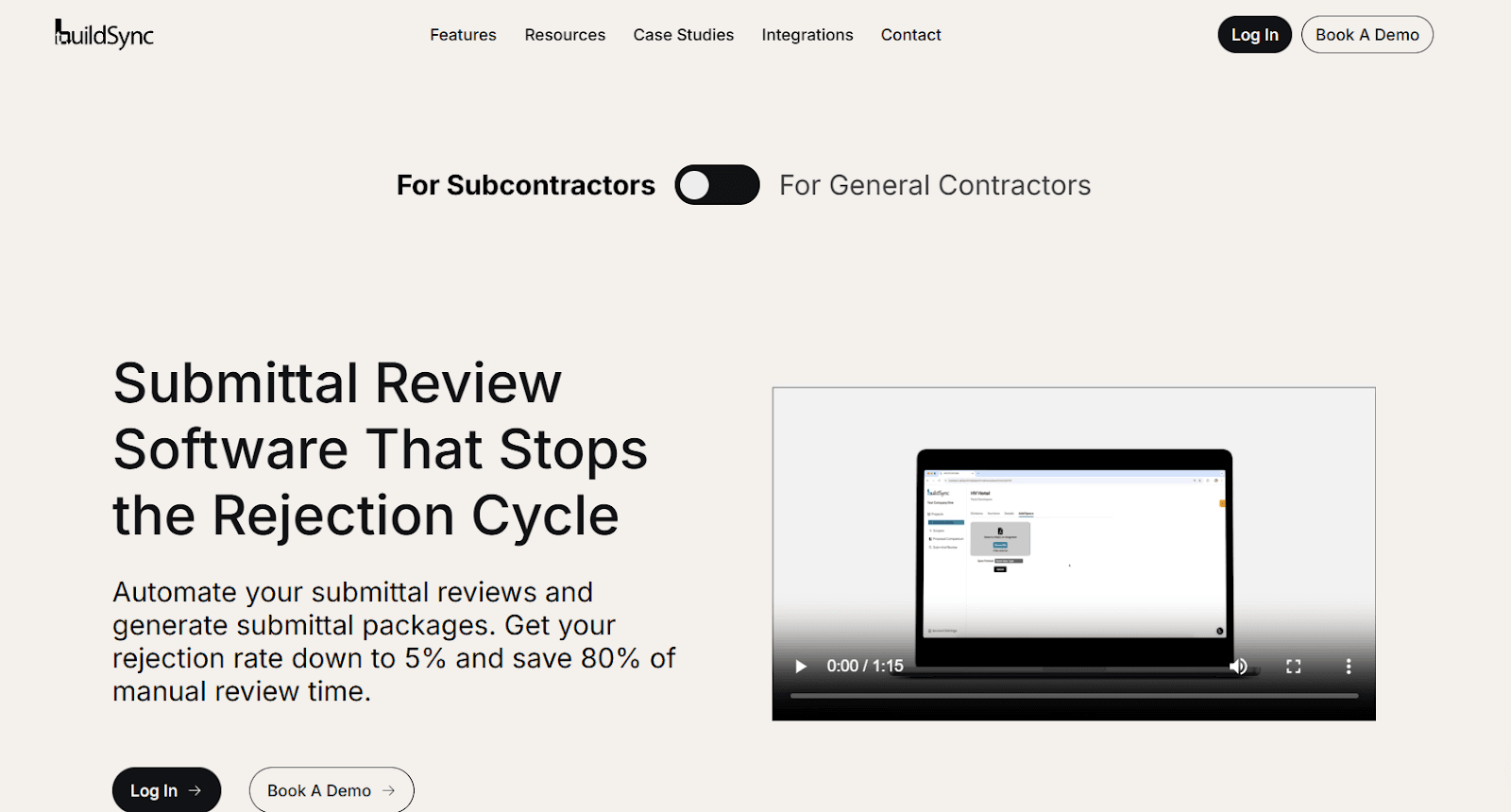
BuildSync performs AI-powered technical analysis of construction submittals, extracting every technical characteristic and verifying each one against project specifications. Unlike workflow tools that just route documents, BuildSync checks compliance at the data point level.
Key Features:
Extracts all technical characteristics from product data submittals (dimensions, ratings, materials, certifications, performance specs)
Compares each characteristic against plans and specifications, flagging failures and unknowns
Provides detailed compliance reports showing exactly what passes, what fails, and what needs clarification
Zero-friction Procore & ACC integration - acts as a reviewer within your existing workflow
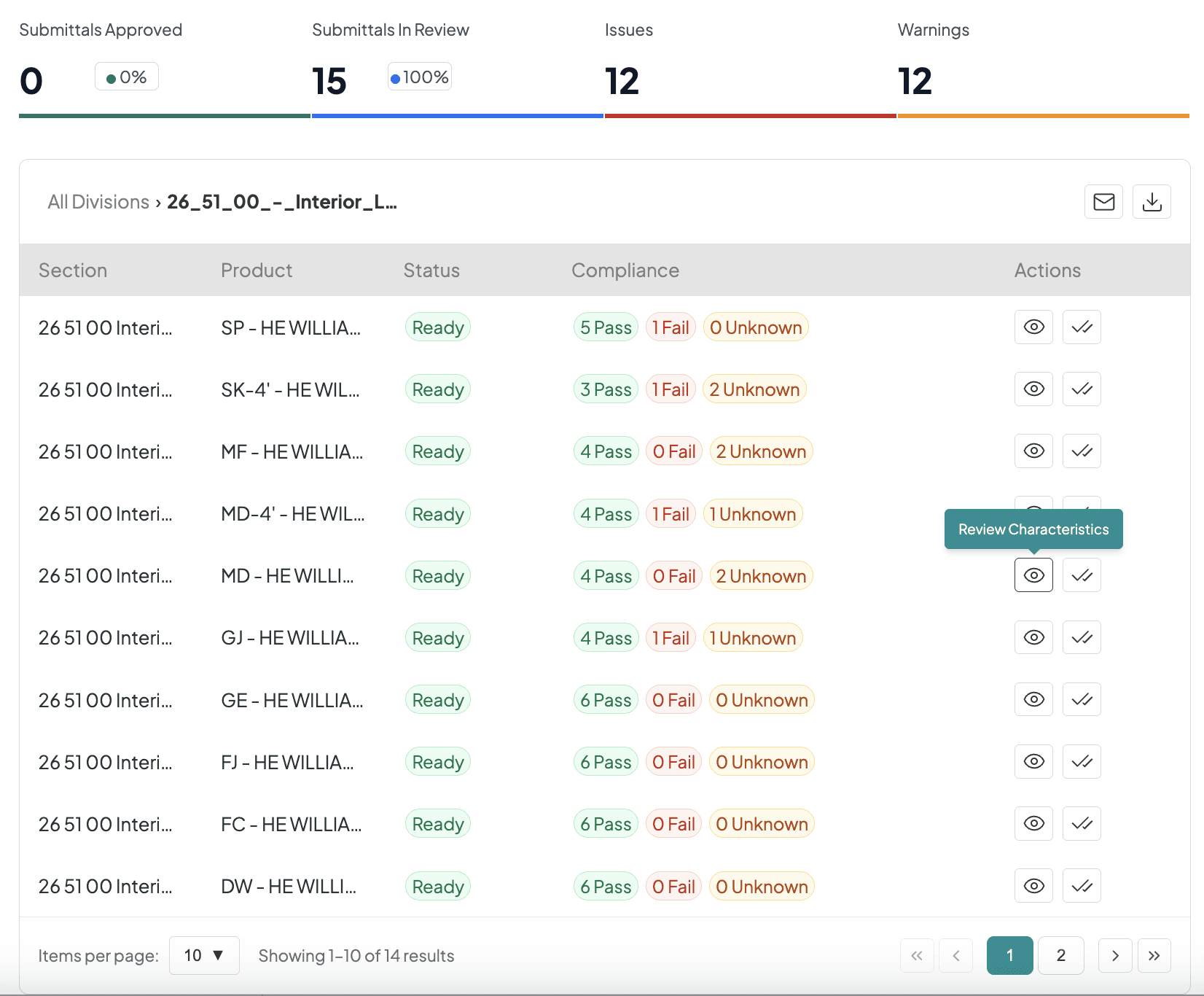
Standout: 95%+ accuracy with full traceability. Shows exactly where in the submittal and specs each finding was located - addressing project managers' biggest AI concern.
Pricing: Custom quote
Best For: Teams drowning in both high rejection rates (20-30%+) AND excessive manual review time. You're tired of 2-4 week delays from rejected submittals eating your schedule, while project engineers waste days reviewing complex equipment submittals they weren't trained to review.
Pros and Cons
Pros:
Deep technical analysis that catches specification cross-references PEs wouldn't think to check manually
Proven rejection rate reduction from 30% to 5% across customer base
Seamless integrations with zero workflow changes
Transparent pilot approach - try it before you buy it
Shows source documents for every finding (you verify the AI's work)
Cons:
Focused on product data submittals, not shop drawings (yet)
Newer platform compared to established players like Procore
Integrations
BuildSync integrates seamlessly with Procore and Autodesk Forma, operating within your existing construction submittal process without workflow disruption.
Procore Integration: BuildSync acts as an automated reviewer in your Procore workflow - submittals route directly to BuildSync for technical analysis, then return with detailed compliance reports and markups. Teams continue using Procore's familiar interface while gaining AI-powered compliance verification that reduces rejection rates from 30% to 5%.
ACC/Build Integration: Two-way sync automatically pulls submittals from Autodesk Construction Cloud (Autodesk Forma), performs technical analysis against plans and specs, then pushes verified results back. Review submittals without leaving ACC/Build while applying standardized, thorough review standards across your entire portfolio.
Both integrations eliminate platform switching, maintain existing approver workflows, and deliver consistent technical analysis across all construction projects.
Reviews/Case Studies
Daniel Recktenwald, Project Manager at Monteith Construction, implemented BuildSync on healthcare projects ranging from $5M-$30M.
Results: 70% reduction in submittal review time and 50% reduction in failure rate.
On a fast-tracked hospital renovation, BuildSync allowed his team to stay ahead of complex MEP submittals without additional PE support:
"Before BuildSync we were moving through submittals like quicksand, often overwhelmed and missing problems. After BuildSync, submittals have become something that is part of your day and not your whole week."
BuildSync caught critical details others missed, including incorrectly specified grill fin directions that would have caused field issues. Daniel's recommendation:
"This is a no-brainer. It immensely improves your workload as a project manager and gives you a huge head start on the project materials delivery schedule."
When to choose: You need technical compliance verification to save time and reduce submittal rejections, not just workflow management.
Learn more about BuildSync's construction submittal review process.
2. Procore - Construction Project Management Software
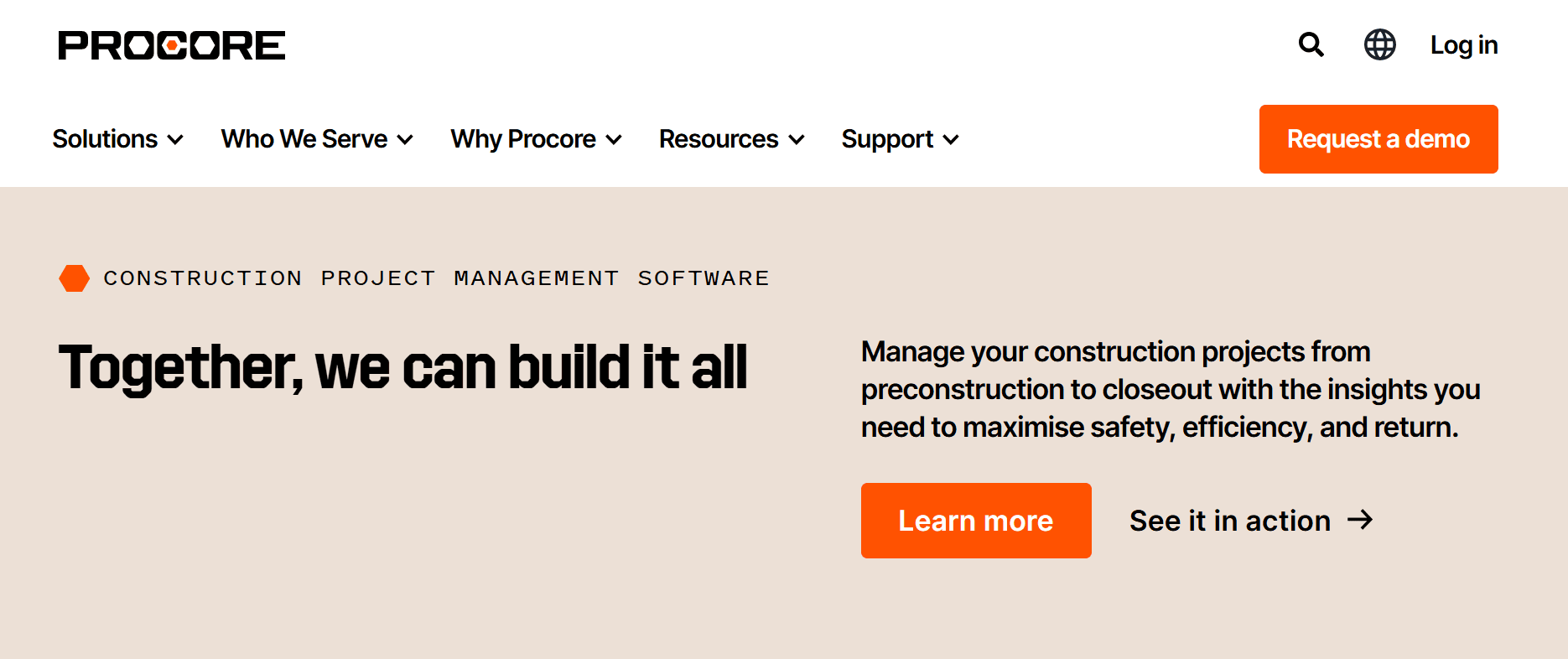
Procore is the 800-pound gorilla of construction project management software. Their submittal module automates the creation and management of construction submittals within their broader platform, enabling faster review and clear communication among project team members. Modern submittal software helps teams manage both submittal and RFI workflow efficiently, but understanding when to use each document type prevents costly routing errors and approval delays.
Key Features:
Automatic submittal log generation
Status tracking for project managers
Flexible views by spec section or submittal status
Multi-level approval workflows.
Standout: Procore's submittal builder automatically extracts and organizes data from the spec book, eliminating manual entry and accelerating the construction submittal process. This is genuinely useful for getting projects started quickly.
Pricing: Custom quote
Best For: Enterprise GCs needing comprehensive project management across all construction projects with full IT resources.
Pros and Cons
Pros:
Complete submittal log tracking with archived communication history
Strong enterprise-grade security and support
Widely adopted, so subcontractors and design teams often already know the platform
Cons:
Submittal builder creates the register but doesn't verify technical compliance
Complexity can overwhelm smaller contractors - there's a reason Procore has a dedicated training academy
Pricing is a significant barrier for mid-sized general contractors and smaller teams
Integrations
Procore's submittal module integrates with document management platforms, design collaboration tools, and specialized submittal review applications through its API ecosystem.
Submittals created in Procore can sync with connected systems, allowing design teams using external platforms to review and approve without leaving their tools. The open API enables third-party submittal solutions - including AI-powered compliance tools - to operate as actors within Procore's submittal workflow, adding technical analysis capabilities while maintaining your existing approval chains.
Procore also connects with specification management platforms to automatically generate submittal registers and link submittal requirements back to project specs. This integration-first approach lets general contractors enhance Procore's submittal workflow with specialized tools without disrupting how project team members already work.
Reviews/Case Studies
Capterra: 4.5 stars out of 5 - 2,674 reviews
“The feature that i like the most in Procore is how it beautifully integrates multiple file formats in a construction project. You can view MS Project or P6 schedules, open DWG drawings and specifications. Also the RFI and submittals management is excellent. I specially like the versatility on how can you use it, as you can use it in a mobile device and upload pictures, linking them to a specific task, RFI or punch list item.”
When to add BuildSync: You need technical compliance verification within Procore's workflow without changing your existing construction submittal process.
3. AUTODESK Forma

Autodesk Forma (formerly Autodesk Construction Cloud)’s submittal module centralizes the creation, customization, and management of all construction submittals with automated logging, custom review workflows, and mobile access.
Key Features:
Create and organize individual submittal items with tailored review processes
Automatically track transition dates as items move through workflows
Instantly share approved submittals via iPad or mobile app for field access
Complete audit trail of every action and responsible party
Standout: AutoSpecs generates submittal logs in minutes from project specs.
Pricing: Custom quote required
Best For: Firms already using Autodesk (Revit, BIM 360) needing integrated submittal management.
Pros and Cons
Pros:
Complete audit trail maintains accountability
AutoSpecs creates detailed submittal logs quickly
Strong customer support and onboarding process
Cons:
AutoSpecs generates the register, but doesn't verify the technical compliance of actual construction submittals
Adding new services can be time-consuming
Platform complexity and cost can be barriers for smaller contractors
Integrations
AUTODESK Forma's submittal module integrates natively with other Autodesk products, including Revit, AutoCAD, and BIM 360, creating a connected design-to-construction workflow. Submittals link directly to BIM models, allowing teams to track product data against 3D design elements.
The platform connects with third-party project management tools and document management systems through APIs, enabling submittal data to flow between ACC and external platforms. Design firms using Autodesk products can review submittals within their existing CAD environment, while general contractors access the same data through the construction interface.
ACC also supports integrations with ERP systems and accounting software for project cost tracking tied to approved submittals, helping teams maintain budget alignment throughout the construction submittal process.
Reviews/Case Studies
Capterra: 4.3 stars out of 5 - 2,210 ratings
Ashish M. says:
“ACC has become a one-stop-shop for all our projects, ranging from managing and coordinating BIM models, managing design development, quantity take-off to project management needs such as RFIs, Submittals, Schedules, Meeting Minutes. It has become a catchphrase in the company whenever someone asks: "Where can I find it? It's on ACC, of course!”
4. SubmittalLink - Simple Tracking for Local Contractors
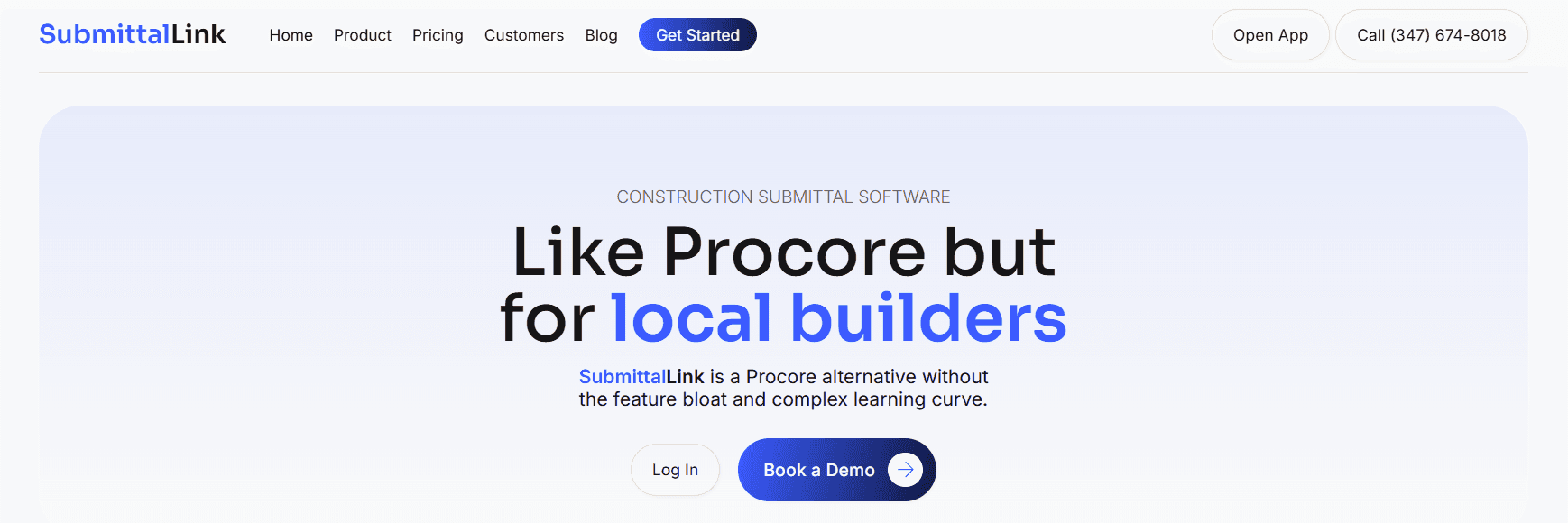
SubmittalLink offers straightforward construction submittal software for local contractors who need to create, track, and organize submittals without unnecessary complexity or feature bloat.
Key Features:
Easy submittal creation with specification sections, due dates, and reviewer assignments
Unlimited cloud storage for project files and shop drawings
Automated email notifications for submittals and reviews
Unlimited consultants and subcontractors at no additional cost
Standout: SubmittalLink doesn't try to be everything to everyone. It focuses on core submittal tracking with an intuitive interface that takes minutes to set up. No dedicated training required.
Pricing: $150-$250/month flat rate/custom pricing for enterprise
Best For: Local contractors needing basic submittal status tracking, not technical compliance.
Pros and Cons
Pros:
Intuitive platform with no learning curve
Unlimited project team members and consultants at no extra cost
Affordable flat-rate pricing
Quick setup (minutes, not hours or days)
Cons:
Fewer features than comprehensive platforms
No technical compliance verification (tracks construction submittals but doesn't analyze them)
Newer platform, less established than larger competitors
Integrations
SubmittalLink offers straightforward integrations focused on document storage and communication rather than complex system connections. The platform connects with cloud storage services like Dropbox, Google Drive, and Box for file management.
Email integration allows automatic notifications when submittals require action, and teams can upload documents directly from connected storage locations. SubmittalLink's simpler integration approach reflects its focus on local contractors who need organized submittal tracking without enterprise-level system complexity.
The platform doesn't currently integrate with major project management platforms like Procore, making it better suited for teams managing submittals as a standalone process rather than within comprehensive construction management workflows.
Reviews/Case Studies
Capterra: 4.5 stars out of 5 - 2 reviews
James Doyle, Project Manager at Ace Construction, used SubmittalLink to manage over 850 submittals on a $48M ground-up residential project in Baltimore. Results: Cut submittal turnaround time from 10+ days to under 5 days and eliminated lost documents from email chaos.
Before SubmittalLink, Ace Construction tracked submittals through emails and Excel spreadsheets, causing consultants to miss deadlines and field teams to work off outdated drawings. After implementation, the team gained centralized document control with one-click consultant access (no login required) and mobile access for field staff.
The platform caught two coordination issues during drawing uploads before they reached the field, preventing costly rework. Doyle's assessment: "SubmittalLink let us run tighter projects without the overhead" of enterprise platforms like Procore.
5. Bluebeam - PDF Markup & Collaboration
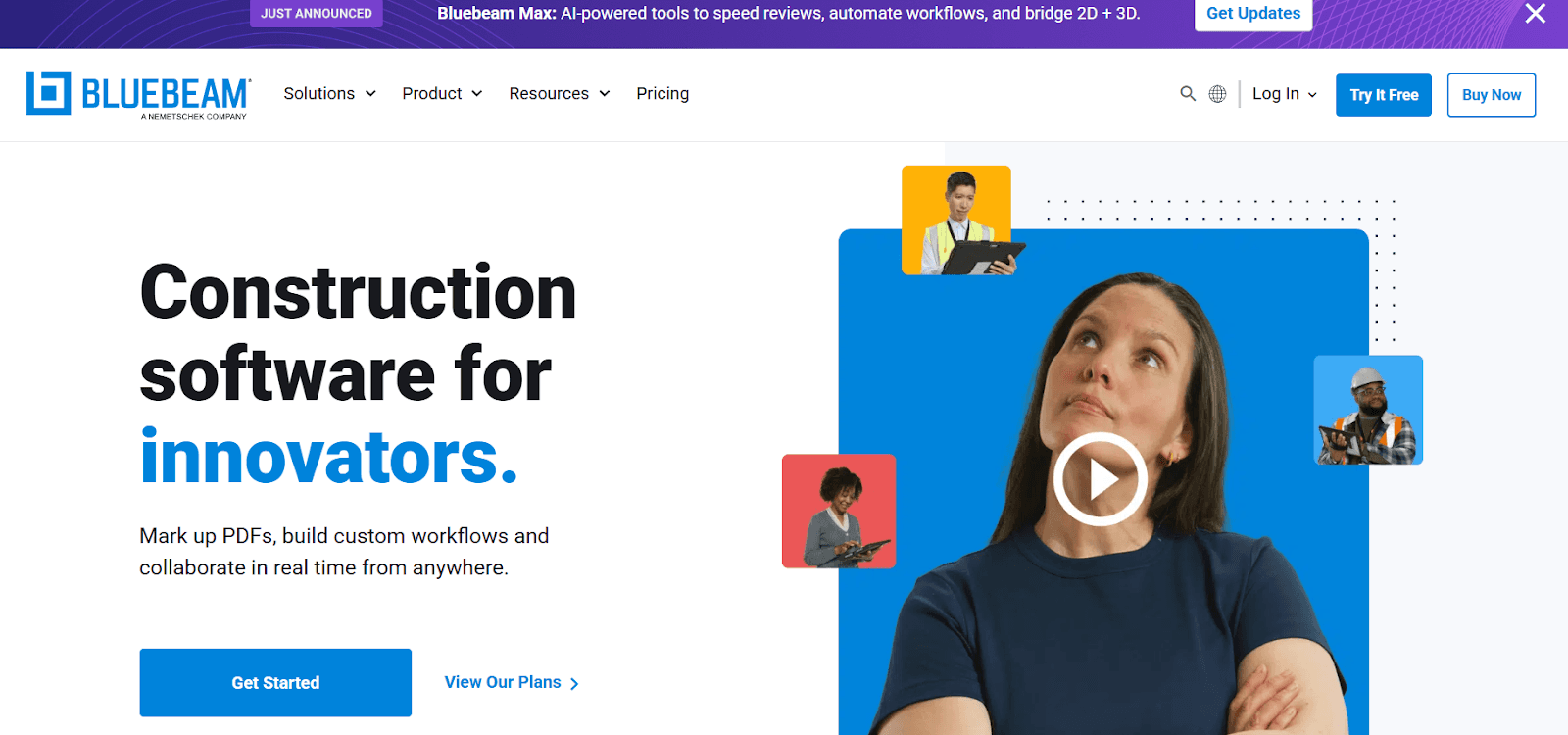
Bluebeam streamlines document management with powerful PDF tools, enabling real-time collaboration, advanced markup capabilities, and efficient submittal tracking across devices.
Key Features:
Assign, manage, and organize submittals with review and approval tracking
Real-time collaboration through Bluebeam Studio sessions
Advanced PDF markup tools for 2D and 3D shop drawings
Integration with Dropbox, Google Drive, and other file storage systems
Standout: Studio sessions allow multiple project team members to mark up files simultaneously.
Pricing: $260-$590/user/year
Best For: Teams needing advanced PDF markup across all project documents.
Pros and Cons
Pros:
Powerful collaboration features for remote teams
Highly customizable toolsets and workflows
Strong for document organization and tracking
Cons:
Steep learning curve for new users
Annual per-user pricing adds up for larger teams
Primarily a markup/annotation tool, not a compliance verification tool
Integrations
Bluebeam integrates with cloud storage platforms, including Dropbox, Google Drive, Box, and Microsoft OneDrive for document access and collaboration. Bluebeam Studio enables real-time markup collaboration on submittals across distributed teams without additional integrations.
The platform connects with project management systems through file-based workflows - teams can link Bluebeam markups back to Procore, Autodesk Construction Cloud (now Autodesk Forma), and other platforms by exporting marked-up PDFs. While not API-integrated with most construction platforms, Bluebeam's universal PDF format ensures compatibility across systems.
Bluebeam also integrates with Microsoft Office and Excel for data extraction and reporting, allowing teams to pull submittal information from marked-up documents into spreadsheets for tracking and analysis across construction projects.
Reviews/Case Studies
Capterra: 4.7 stars out of 5 - 977 reviews
Wendy Amann, Quality Director at Huitt-Zollars, standardized quality control workflows across 24 offices using Bluebeam Studio Sessions. The engineering firm transformed inconsistent manual review processes into a unified digital system with audit trails and real-time collaboration.
Before Bluebeam, teams used a patchwork of emails, spreadsheets, and PDF markups to manage construction document reviews including submittals and RFIs. "We had a lot of inefficiencies with different offices doing different things," Amann said. "It just wasn't consistent."
After implementing standardized Bluebeam workflows with color-coded statuses, custom digital stamps, and real-time Studio Sessions, the firm gained centralized documentation with complete audit trails. Kelvin Wiese, Senior Project Designer, noted:
"You can see who made each comment, when they did it and what response was made. That alone has eliminated so much back and forth."
6. eSUB - Subcontractor All-in-One Platform
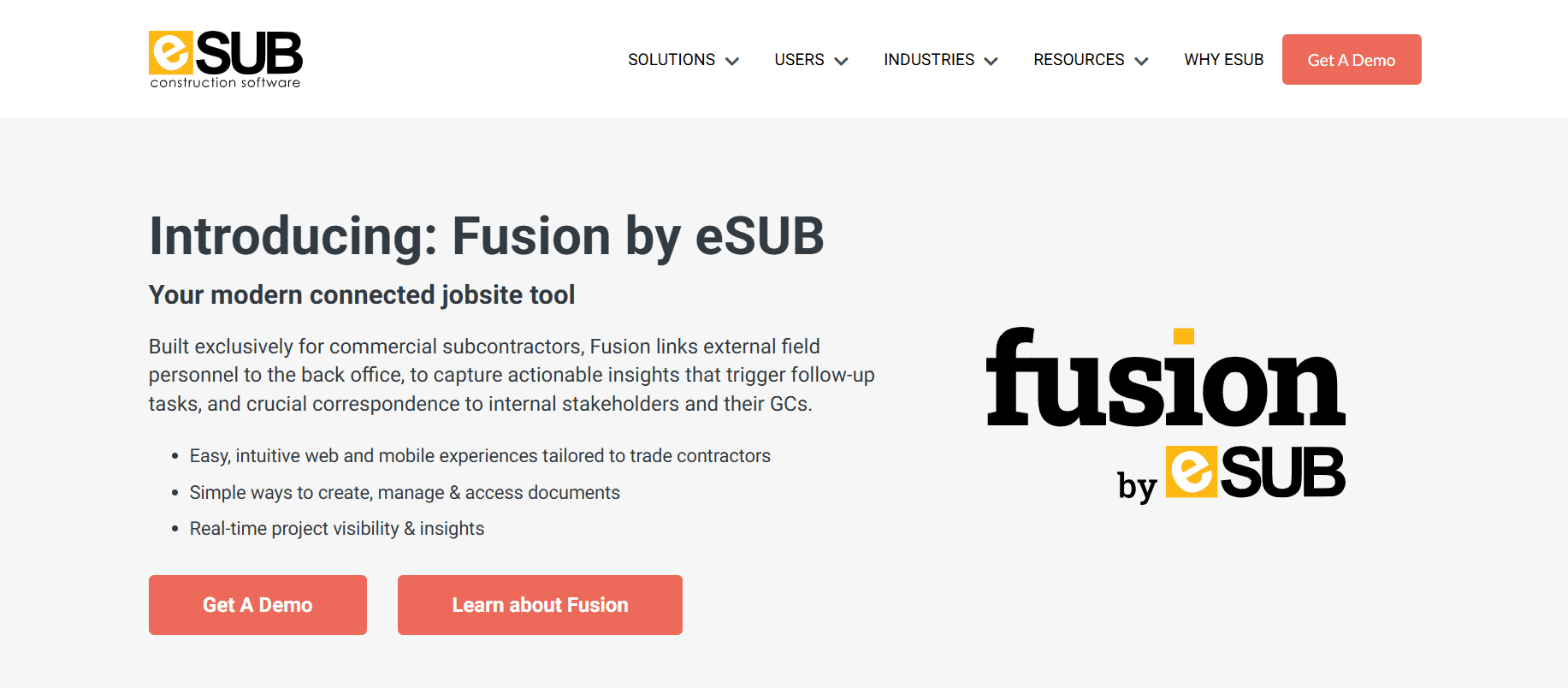
eSUB is a construction management software designed specifically for subcontractors, offering submittal tracking alongside daily reports, POs, and change orders in one platform.
Key Features:
Assign, manage, and organize submittals with review and approval tracking
Real-time collaboration through Bluebeam Studio sessions
Advanced PDF markup tools for 2D and 3D shop drawings
Integration with Dropbox, Google Drive, and other file storage systems
Standout: eSUB understands subcontractor pain points specifically, offering pre-filled correspondence tools and workflows designed for how subs actually work - not just adapted from GC platforms.
Pricing: Custom quote
Best For: Subcontractors needing integrated project management, not just submittals.
Pros and Cons
Pros:
Centralized platform for submittals, daily reports, POs, and change orders
Pre-filled correspondence tools designed for subcontractors
Easy mobile access for field teams
Cons:
Limited ability to upload and manage shop drawings within the software
No technical compliance verification - tracks submittals but doesn't analyze them
Integrations
eSUB integrates with accounting platforms including QuickBooks and Foundation, connecting submittal tracking with project financials and change order management. This allows subcontractors to link approved submittals to billing and cost tracking.
The platform offers limited integration with general contractor systems like Procore, primarily through document export and import rather than real-time sync. eSUB's integration focus centers on subcontractor-specific needs - connecting daily reports, time tracking, and submittals within their own ecosystem.
Cloud storage integrations enable document sharing with general contractors and design teams, though eSUB functions primarily as a standalone platform for subcontractors managing their portion of the construction submittal process independently
Reviews/Case Studies
Capterra: 4.4 stars out of 5 - 256 reviews
Hogan H. says:
“eSub provides a great cloud-based solution that meets all of our project management and project tracking needs. As a subcontractor, it was nice to finally find a software solution that is tailored to the needs of subs and our work flow. It is easy to use and it has been easily adopted by all of our users, both in the office and in the field. I find that it covers all of the processes of a subcontracting workflow simply, but it is not simplistic. It is a sophisticated piece of software that has increased our internal efficiency and our external "appearance" to our clients.”
7. BuildingBlok - Unlimited Users, Flat Pricing
BuildingBlok provides streamlined submittal management with unlimited users and projects, focusing on core functionality without enterprise complexity.
Key Features:
Centralized submittal log to manage all project documents
Contractors can directly create and submit documents for review
Version tracking and complete audit trails
Standardized approval workflows with customizable chains
Standout: BuildingBlok offers unlimited users, unlimited project access, and ongoing support at no extra cost - making it more affordable for larger teams than per-user pricing models.
Pricing: $249- $1,449/month
Best For: Large teams where per-user pricing becomes prohibitive.
Pros and Cons
Pros:
Complete audit trails for accountability
Centralized document storage for all stakeholders
Affordable focused functionality without feature bloat
Cons:
Project setup can be cumbersome initially
No technical compliance verification
Limited backup capabilities
Integrations
BuildingBlok offers basic integrations with cloud storage services for document management and backup. The platform's integration capabilities focus on maintaining centralized submittal logs accessible to all project stakeholders rather than deep connections with other construction software.
Unlike enterprise platforms, BuildingBlok doesn't currently integrate with major project management systems like Procore or Autodesk Construction Cloud (now Autodesk Forma). Teams manage submittals within BuildingBlok's environment and share updates through the platform's notification system.
The simplified integration approach aligns with BuildingBlok's focus on providing affordable, centralized submittal management for teams that don't require complex system connections or extensive tech stack coordination.
Reviews/Case Studies
Capterra: 4.6 stars out of 5 - 11 reviews
Hayk S. says:
“Our overall experience has been very good. The product is undervalued for what it provides for our team! It provides an easy to use interface for my team to collab on construction documents. We were able to streamline and standardize our approval process.”
8. Submittal.com - Closeout Documentation Focus
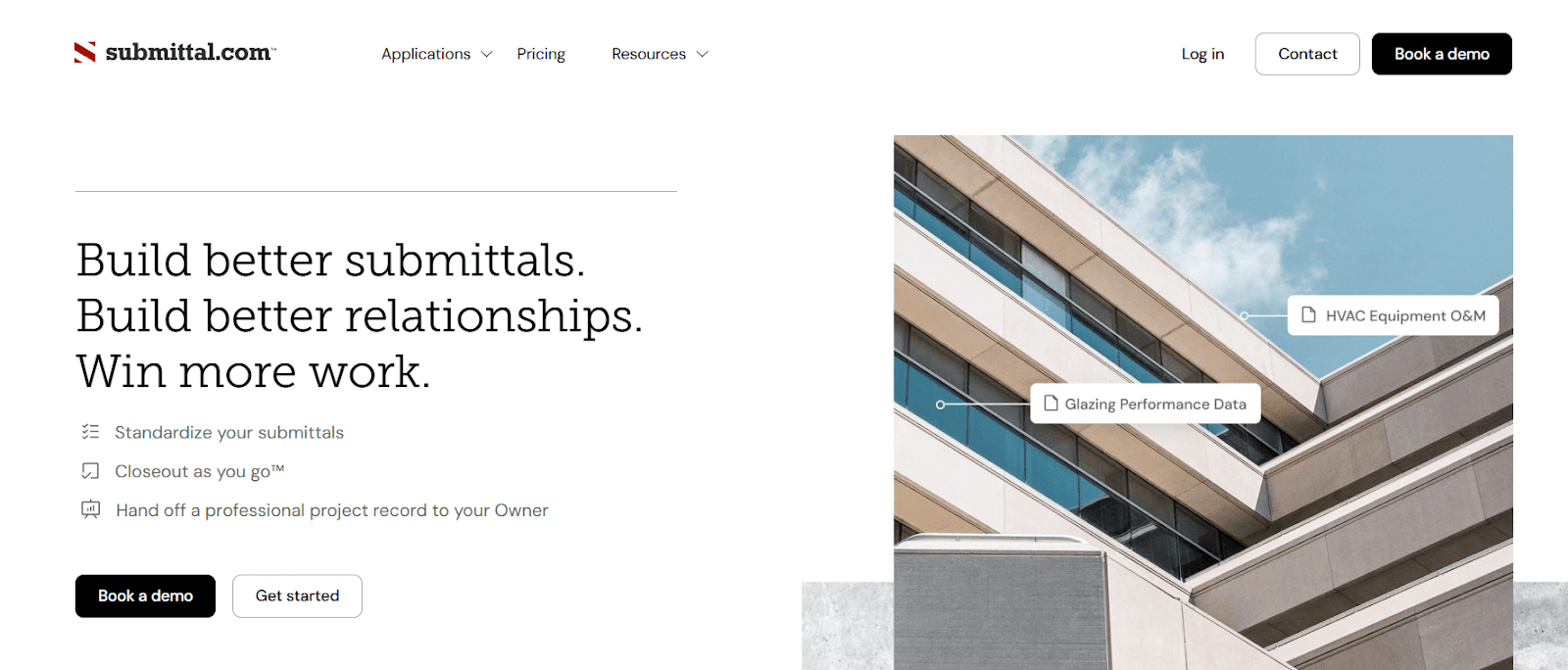
Submittal.com focuses on submittal and project turnover process, standardizing collaboration between subcontractors, designers, and GCs from project start to handoff.
Key Features:
Closeout-as-you-go approach minimizes last-minute delays
Standardized submittal templates ensuring spec compliance
Collaborative review tools with line-by-line markup
Library integration from shared drives or external URLs
Standout: Auto-generates O&M and warranty packages.
Pricing: $65 - $425/project and custom pricing for enterprise
Best For: Teams struggling with closeout documentation.
Pros and Cons
Pros:
Catches issues early with closeout-focused workflows
Great time-saver for estimators and project managers
Fast deployment (live in under one hour)
Cons:
Limited integration ecosystem currently
Pricing visibility limited beyond listed revenue bands
No deep technical compliance verification
Integrations
Submittal.com integrates with cloud storage platforms and shared drives, allowing teams to pull product data and specifications from existing document repositories. The platform's library integration feature connects to external URLs for accessing manufacturer catalogs and technical documentation.
Current integrations focus on document assembly and closeout package generation rather than project management platform connections. Teams can export submittal data and O&M packages for delivery to owners and facility managers through standard file formats.
The platform's integration roadmap emphasizes connections with warranty tracking systems and facility management software to streamline the handoff from construction submittals to building operations, though major project management integrations are currently limited.
Reviews/Case Studies
Brandon Needham - Senior Project Manager, SouthCon Building Group:
“I’ve used other submittal software quite a bit in my career, and this is up and running and set up correctly on the front end. It makes life on everybody a whole lot easier and simpler. It makes this process as straightforward as you can possibly get.”
9. Smartsheet - Customizable Workflow Tracking

Smartsheet offers flexible work management that can be adapted for construction submittal tracking, providing visual dashboards and automation capabilities.
Key Features:
Visual dashboards for monitoring submittal status, risks, and dependencies
Process automation to standardize submittal workflows
Integration with DocuSign, Google Workspace, Microsoft 365, and Salesforce
Customizable templates for getting started quickly
Standout: Smartsheet provides pre-built submittal templates that you can customize extensively using familiar spreadsheet-like interfaces.
Pricing: $9-$19/user/month and custom pricing for enterprises
Best For: Teams comfortable with spreadsheet workflows needing customization.
Pros and Cons
Pros:
Highly customizable templates and workflows
More affordable than construction-specific platforms
Best-in-class automation capabilities
Cons:
No built-in document storage
No native communication tools
Not purpose-built for construction - requires significant customization
Integrations
Smartsheet integrates extensively with business tools including DocuSign for approvals, Google Workspace and Microsoft 365 for document management, and Salesforce for project tracking. These integrations allow teams to create custom submittal workflows connecting multiple platforms.
The platform's open API enables custom integrations with construction-specific software, though teams must build and maintain these connections rather than using pre-built submittal integrations. Smartsheet's strength lies in connecting general business tools, not construction-specific platforms.
File attachment integrations with cloud storage services (Box, Dropbox, Google Drive, OneDrive) allow teams to link submittal documents stored externally. However, Smartsheet doesn't offer native integrations with Procore, Autodesk Construction Cloud (now Autodesk Forma), or other major construction management platforms for submittal workflows.
Reviews/Case Studies
Capterra: 4.5 stars out of 5 - 3,538 reviews
Austin R. says:
“As the lead program manager for an org of 100 people working across 12 projects, integrating Smartsheet was the smartest choice I made while running the programs. I was able to create dozens of sheets that all rolled up to about 15 key sheets with a key project dashboard per project and a exec level reporting dashboards.”
Construction Submittal Software Comparison
Software | Best For | Technical Analysis | Procore Integration | Pricing | Setup |
BuildSync | Compliance & Review | Deep analysis | Seamless | Custom | Hours |
Procore | Enterprise GCs | Workflow only | Native | Custom | Weeks |
Autodesk Forma | Autodesk users | Register only | Yes | Custom | Weeks |
SubmittalLink | Local contractors | Tracking | No | $150-250/month +custom enterprise pricing | Minutes |
Bluebeam | PDF markup | Manual | No | $260-590/user/yr | Days |
eSUB | Subcontractors | Tracking | Limited | Custom | Days |
BuildingBlok | Large teams | Tracking | No | $249-1,499/month | Days |
Submittal.com | Closeout | Templates | No | $62-425/month/project + custom enterprise pricing | Hours |
Smartsheet | Custom workflows | None | No | $9-19/user/month + custom enterprise pricing | Variable |
Choosing the Right Construction Submittal Software for Your Team
If you're getting 30%+ rejection rates: You need technical analysis (BuildSync), not just better organization. Workflow tools won't solve rejection problems.
If you're drowning in manual review time: You need automation that checks compliance. BuildSync reduces review time by 70-80% while improving accuracy, helping project managers save time on every submittal.
If you need simple tracking: Workflow tools like SubmittalLink, BuildingBlok, or Smartsheet work well for basic submittal status tracking.
If you're an enterprise GC: Consider a comprehensive platform (Procore, Autodesk) PLUS a technical analysis tool (BuildSync) for both workflow management AND rejection rate reduction.
Red Flags: 100% accuracy claims, no pilots offered, requires a complete workflow overhaul, and prohibitive per-user pricing.
Green Flags: Clear accuracy metrics, seamless integration with existing tools, fast implementation, and pricing aligned with your business.
Submittal software is one category in a stack that keeps growing, and our review of AI tools across the construction workflow covers takeoff, scheduling, and site documentation for teams evaluating more than submittals.
While submittal software automates many review tasks, teams just starting out or working on smaller projects often benefit from our free construction submittal template for initial organization and manual tracking.
Conclusion: Moving Forward with Construction Submittal Software
Most tools manage workflow. Fewer verify technical compliance. Even fewer do both seamlessly.
The construction industry's high submittal rejection rate exists because manual submittal reviews don’t scale. Project engineers can't realistically extract and verify every technical characteristic from 70-page product data sheets while juggling ten other construction projects.
Software can help - but only if you choose the right type for your specific problem. The teams seeing the best results run pilots, verify claims, measure outcomes, and choose solutions matched to their actual pain point.
Ready to reduce your submittal rejection rate from 30% to 5%?
BuildSync offers free pilots so you can test results on your actual construction projects. Upload your 5 most complex submittals, see the technical analysis in action, and compare the findings to your manual reviews.
Frequently Asked Questions About Submittal Software
What problems does submittal software solve?
Submittals software solves three core problems: high rejection rates (30% industry average), excessive manual review time, and lack of technical compliance verification before construction work begins.
How does submittal software integrate with project management platforms?
How do I know if I need AI-powered submittal review?
What's the difference between submittal workflow tools and technical analysis tools?
Can submittal software work with existing Procore workflows?
Related reads for you
Discover more articles that align with your interests and keep exploring.


